

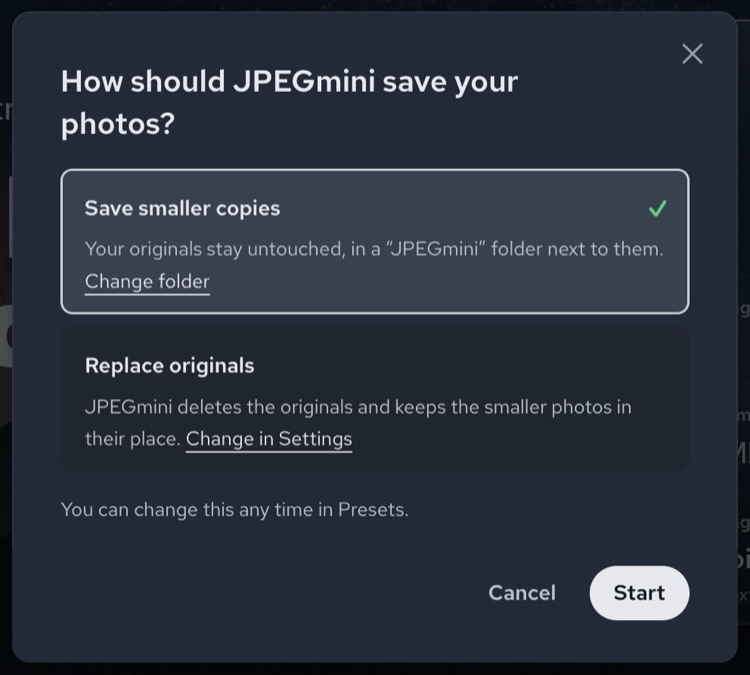
The question on your first drop. Save smaller copies is chosen for you.
Save smaller copies
JPEGmini saves smaller copies and leaves your originals untouched. The copies go into a folder named JPEGmini next to what you dropped.
To send copies somewhere else, click Change folder and choose A folder you choose. Every copy then goes to that folder.
Choose this if you’re not sure. Nothing is lost, and you can delete the copies at any time.
Replace originals
JPEGmini saves the smaller photo in the original’s place, with the same name, so your folders stay as they are and take less space. An iPhone HEIC photo becomes a JPEG file.
Check what happens to the originals. Unless you change it, JPEGmini deletes them. To keep a way back, click Change in Settings and choose Moved to the Trash (Mac) or Moved to the Recycle Bin (Windows). The originals then stay there until you empty it.
Choose this when you don’t need to keep the original files, for example to free space on a drive that holds finished work.
Start or cancel
Start optimizes the photos you dropped, the way you chose.
Cancel does nothing. No photo is changed, and JPEGmini asks again on your next drop.
After the first drop
JPEGmini doesn’t ask again. Your answer becomes what Home is Saving as. To change it, click Saving as on the Home card and pick another preset, or go to Presets.
With Replace originals, later drops replace without asking. To be asked every time, turn on Ask before replacing originals in Settings › General.
If you pick a preset in Saving as before your first drop, JPEGmini uses it and doesn’t ask, unless it’s Replace originals.
Coming from JPEGmini 4 on a Mac? JPEGmini 5 starts with your JPEGmini 4 settings. If you replaced originals in JPEGmini 4, check Settings › General before your first drop. See Moving from JPEGmini 4.
